


Scoot invites its customers to visit its online booking platform to learn about its flights, the offers available to travel to any destination within its network, and to make a quick, on-site reservation.
Book your flight and seat in one click
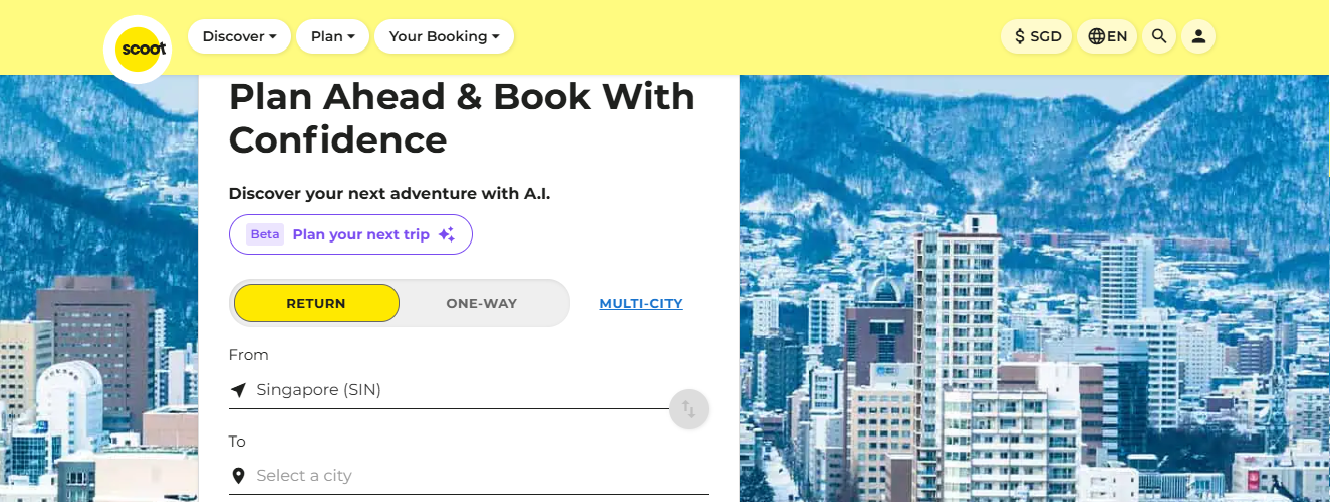
Are you looking for a cheap flight with Scoot? You can now book your seat with the Singaporean airline in just one click. Go to www.flyscoot.com.
– Search for the best offer
To display the travel offers that suit you, you must complete the following fields on the booking engine:
– Departure airport and destination
– Flight departure date (one-way or round-trip)
– Travel class
– Number of passengers traveling on the same reservation.
– Value or Flex: Which fare to choose?
Scoot offers both fare options on all its domestic and international flights. Check out the table above for the benefits of each fare and find the one that best suits your booking needs:
| Hand Baggage | Checked Baggage | Seat Selction | Flight change / Modification | Extras | |
| Basic | 10 kg | No | chargeable | chargeable | No |
| Flex | 10 kg | 20 kg | included | included | No |
| Value | 10 kg | 20 kg | included | chargeable | No |
| Fly | 10 kg | No | chargeable | chargeable | No |
| FlyBag | 10 kg | 20 kg | chargeable | chargeable | No |
| FlyBagEat | 10 kg | 20 kg | chargeable | chargeable | hot meal |
| ScootPlus | 15 kg | 30 kg | Free | chargeable | meals, Wi-Fi, priority boarding |
| Scoot‑in‑Silence | 15 kg | 30 kg | chargeable | chargeable | Sit on a seat located in a quiet area |
– Choosing your seat
When booking a flight, a seat is randomly assigned to each passenger, but generally, the seats offered are those located in the middle of the cabin. Special seats such as window seats, seats in the first row, or seats with extra legroom are not offered free of charge except to passengers who have chosen the Value and Flex fares or the ScootPlus fare.
Other passengers booking their flight with the Basic fare can still choose their seat for an additional fee. Go to the Manage Booking section to select your preferred seat.
– Proceed to payment
Once you find the offer that suits you and book it, you must proceed to payment. You can choose from the payment methods displayed in the booking form. Once this is done, Scoot will send you your e-ticket by email. You must print your tickets yourself and check in online or directly at the airline’s check-in counter at the airport.
Payment methods accepted at Scoot:
– VISA
– Mastercard
– American Express
– JAPAN Credit Bureau
– PayPal
– Google Pay
– PAYNOW
The e-ticket collects all the key information about you and your booking, such as personal contact information (first and last name, etc.), flight number and departure date, booking reference (essential for accessing your account if you wish to change your booking), etc.
Book now and pay later?
This option is not available at Scoot, but you can take advantage of it by booking through a booking intermediary (an online travel agency).
Book your flight by phone : Contact details
Would you like to book a flight online, or do you already have a reservation and would like to inquire about other details related to your trip with Scoot? The Singaporean airline provides customer service at +65 6329 1420, which allows you to contact its customer service team and receive all the necessary assistance.
If you live outside Singapore, call:
Oceania:
- Australia: +61 3 9999 7487
Europe:
- Austria: +43 720 775987
- Germany: 0800 000 1872
- Greece: 800 0000 135 (English), +30 210 99 42 567 (Greece)
East Asia:
- China: +86 2160 665 440
- Hong Kong SAR: +852 3501 2287
- India: +91 11 7127 9490
- Indonesia: +62 21 2922 3021
- Japan: +81 50 5050 9587
- Malaysia: +60 3 8687 2787
- Philippines: +63 2 8672 7892
- South Korea: +82 70 7488 5150
- Taiwan: +886 2 55940778
- Thailand: +66 2566 0687
- Vietnam: +84 28 5678 4436
Middle East:
- Saudi Arabia: 800 850 1044
Need to make changes after booking?
If your plans change, you can cancel your Scoot flight or, depending on your fare conditions, request a refund.