


Singapore Airlines offers its passengers IATA’s Fast Travel Self Check-in, allowing them to check in using their mobile device and bypass airport queues.
This service offers a hassle-free check-in experience with self-service channels such as mobile phone, internet access, kiosk, and self-check-in, without having to go to the airport.
In addition, passengers can obtain their boarding pass via the Singapore Mobile App or the website; self-check-in also allows passengers to receive their boarding pass by email several days before departure if they provide their email address at the time of booking.
Why check in online?
– Save time at the airport by avoiding queues
We all hate the endless queues that form at the airline counter at the airport. By checking in online, if you don’t need to check in, you can arrive at the airport and go directly to security, saving you a lot of time.
– Choose your preferred seat before it’s taken by others
Online check-in for Singapore Airlines flights also allows those who want to choose a specific seat to ensure they select it before occupying it. This is important for those traveling with families or young children who want to sit together.
What do you need to check in online for a Singapore Airlines flight?
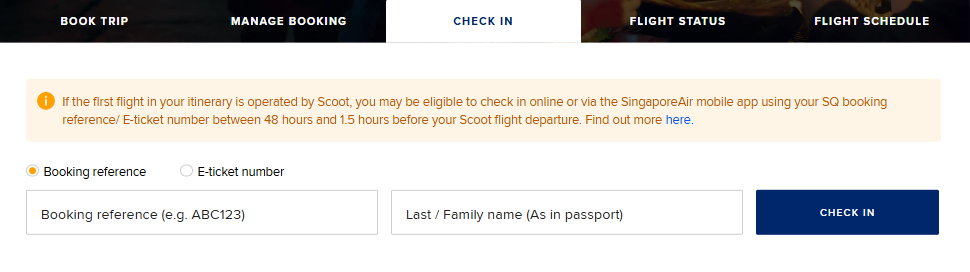
The first thing to do is open the Singapore Airlines website. Click here.
Note that this operator even has its own app that allows you to complete this process.
When can I check in online?
Singapore Airlines allows check-in from 48 hours to 1.5 hours before departure.
What information is required?
Singapore Airlines requires two essential pieces of information for check-in: the passenger’s first and last name, and the booking code or reference.
Where can I find the booking code?
You can find it in the confirmation email that the agency or airline sends you when your ticket is issued.
Check in for your flight in five easy steps
– Go to the airline’s website and select the online check-in option.
– Enter the information requested by the airline (name, booking code).
– Select your seat: You are not required to choose a specific seat. You can choose the seat offered by your carrier.
– Review and complete passenger information. They may sometimes ask for your passport or ID number.
– Print or download your boarding pass to your phone.
Final check-in time (deadline):
At what time will it no longer be possible to check in for your Singapore Airlines flight?
If you plan to complete the check-in procedure at the Changi Airport check-in counters, please note that they close 40 minutes before the flight.
– Baggage check-in deadline:
If you wish to check in your baggage at the self-service kiosks available at Jewel Changi Airport (where you can print your baggage tags) and avoid the queues at the check-in counters, please note that these kiosks close 180 minutes (3 hours) before the flight’s departure time.
What to do when you arrive at the airport?
-
If you need to check baggage
You’ll inevitably have to queue at the airline check-in counter. There’s no way to skip this step even if you’ve already checked in online. But in this case, if you’ve already printed or downloaded your boarding pass, you don’t need to do it again.
-
If you’re traveling with carry-on baggage only
In this case, you can go directly to security with your boarding pass and carry-on baggage; you don’t need to go through the Singapore airline check-in counter.
Is it necessary to print the boarding pass? Generally, it’s not necessary; as long as you have the boarding pass’s QR code on your phone, you don’t need to print it. However, some airports do not accept mobile boarding passes, but this is usually indicated in advance during online check-in.
When is it necessary to check in at the airport?
There are certain cases in which online check-in is not permitted:
– When the passenger has special medical needs or requires special services, such as a wheelchair.
– When the passenger is a minor traveling alone.
– When the passenger is traveling with pets.
– When there are more babies than adults in the reservation.
– When the passenger is on the waitlist.