


Singapore Airlines has implemented a booking change policy to provide a framework for passenger travel and to accommodate passengers’ needs if their plans change suddenly (health issues preventing them from traveling, professional obligations, death of a loved one, etc.).
And to make this flexibility accessible and easy to use, the Singapore airline provides passengers with an intuitive online tool that allows them to manage their booking in just a few clicks.
With Singapore Airlines’ Reservation Management service, modifying or changing flight tickets has become child’s play.
View passenger reservation data, collect miles, modify tickets, even cancel flight and request a refund… All this is possible without much difficulty.
From the MANAGE BOOKING tab : Modify your flight online
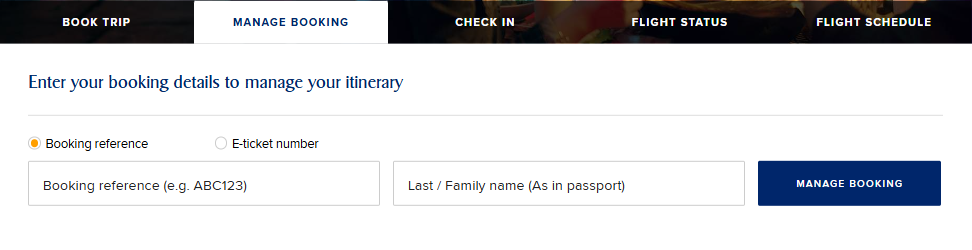
If you ever need to make changes to your reservation, such as changing a travel date, adding or removing an additional service (excess baggage, special meals, special assistance…), correcting a name, etc., Singapore Airlines offers you the ability to view your flight reservation file – also known as Passenger Name Record (PNR) – on your smartphone or laptop. This file contains a wealth of personal information: first and last name, email address, phone number, loyalty program, postal address, and sometimes even date of birth, passport number, and details of additional reservations such as car rental or hotel room reservations.
- How does it work?
Accessing your Singapore Airlines booking file is very easy: just go to their website www.singaporeair.com then to the MANAGE BOOKING space, then enter the last name and the six-character booking code of the traveler in question.
Change a seat
Singapore Airlines offers its passengers free seat allocation on its flights. However, those who wish to change their seat can do so online, still under the “My Booking” tab.
- Is it possible to change your seat after check-in?
Yes, if you suddenly change your mind and want to change the seat you selected before confirming your check-in, don’t worry, as Singapore Airlines gives you the opportunity to review and change your seat selection up to an hour and a half before departure, but only subject to seat availability.
Change flight date
A poor choice of date is all it takes to make your travel bill particularly steep. Fortunately, Singapore Airlines allows for date changes, free of charge for fares that include the Flex option and for a fee for basic fares.
Change flight / destination
First, knowing that this depends primarily on the conditions of the flight ticket booked by the passenger, the passenger may change their flight or destination.
One thing is certain: passengers can change their destination or flight via the online section.
Change name
A mistake in the passenger’s first or last name? Customs regarding married and maiden names are the main reason for requests to change booking details with Singapore Airlines. A change is, fortunately, possible, although it may incur an additional cost.
Contact Singapore Airlines customer service if necessary
If you prefer to entrust this task to a Singapore Airlines customer service representative, please feel free to contact one of the Singapore Airlines offices located in your city.
Flight change fees
With Singapore Airlines, flight changes are free for the first 24 hours for all fares, including those made with certain special fares selected by passengers that allow changes even minutes before the flight.
- After 24 hours
While changes are free for some fares (including flexible fares, such as Business, First, and Suites), Economy (Value and Standard) fares incur a fee of USD 25 or more:
– Flight date/time change: USD 25
– Itinerary change: USD 25
– Change to a flight booked with a partner airline: USD 50.